

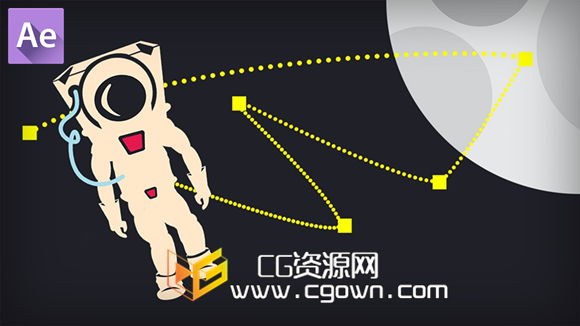
在本系列教程中,我们将学习如何掌握键帧图形编辑器。在After Effects中使用图形编辑器工具可以是一个棘手的,但它的功能非常强大,一旦你了解它是如何工作的,它会改变你的动画方式。
我们将通过学习界面如何操作与键帧图形编辑器面板的过程。然后,我们将开始学习如何从图表中编辑关键帧的值,学习速度和价值曲线之间的区别,以及它们是如何连接的。然后,我们潜入的时间和空间内插的区别,以及这个概念是交织在一起的图形编辑器的功能。在那之后,我们将采取一些教训,理顺几个不同类型的动画使用图形编辑器,以增加难度的例子进度。
本教程会给你如何使用图形编辑器的第一手资料,以及它是如何工作的深刻理解。一旦你理解了内部工作的图形编辑器,你就可以准备采取微调即使在最恶劣的动画。如果你是认真的成为一个伟大的运动图形设计师,那么这个培训是给你的。
In this series of tutorials, we’ll be learning how to master the Graph Editor. The Graph Editor can be a tricky tool to use in After Effects but it’s very powerful and once you understand how it works, it will transform the way you animate.
We’ll go through the process of learning the interface and how to navigate the Graph Editor panel. We’ll then begin learning how to edit keyframe values from within the graph, learn the difference between the Speed and Value graphs as well as how they are connected. We then dive into the difference between temporal and spatial interpolation, and how that concept is intertwined with the Graph Editor functionality. After that, we’ll take a few lessons to smooth out a few different typesof animations using the graph editor, with increasing difficulty as the examples progress.
This tutorial will give you firsthand knowledge of how to use the graph editor, as well as a deep understanding of how it works. Once you understand the inner-workings of the graph editor, you’ll be ready to take on fine-tuning even the toughest animations. If you’re serious about becoming a great motion graphics designer, then this training is for you.
简介视频:
教程内容:
Introduction and project overview
Navigating the Graph Editor
Using the quick ease buttons
Keyframe interpolation and the Convert Keys buttons
Value Graph vs. Speed Graph and the Reference Graph
Understanding the Value vs. Speed relationship for spatial properties
Understanding the Separate Dimensions functionality
Keyframe interpolation: Spatial vs. Temporal
Editing keyframe values
Using the Graph Editor to smooth a 3D move
教程下载:
普通下载免费链接
百度云会员链接链接密码:578k
本站文章未经许可,禁止转载!
如果文章内容介绍中无特别注明,本网站压缩包解压需要密码统一是:www.cgown.com
本站资源由互联网搜集整理而成,版权均归原作者所有,仅供观摩学习,不保证资源的可用及完整性,不提供安装使用及技术服务。
若无意中侵犯到您的版权利益,请来信联系我们,我们会在收到信息后会尽快给予处理!版权说明点此了解!









0 条评论